

If you own an OPPO, OnePlus or realme phone, the next software update is a bigger deal than usual.
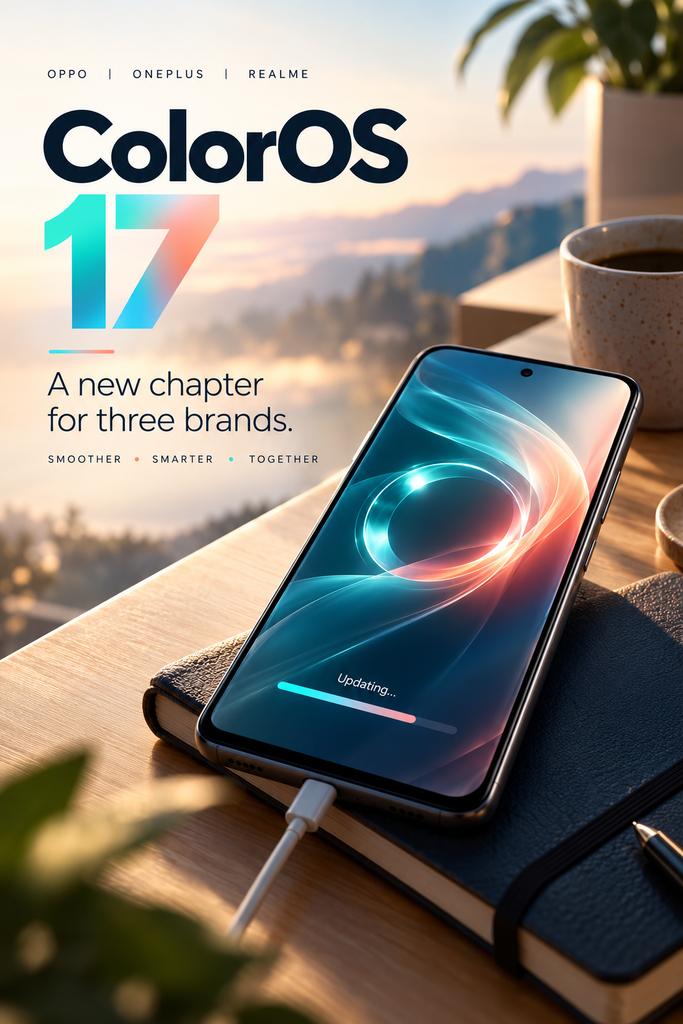
ColorOS 17 isn’t only OPPO’s yearly redesign. It’s the first version that OnePlus and realme phones will move onto as well, replacing OxygenOS and realme UI on eligible devices. That makes it one software update for well over a hundred phone models, and the rollout starts at the end of this month.
Here’s what’s confirmed, what’s only claimed, which phones are on the list, and the few things worth doing before you tap “Download”.
Quick answer: OPPO launched ColorOS 17, based on Android 17, globally on 13 October. The stable rollout starts on 29 October with the newest flagships (Find N6, Find X9 series, OnePlus 15, realme GT 8 Pro), then moves through mid-range and older models in November, December and early next year. Timing varies by country. Before you update, back up your phone, free some storage and wait a few days if you rely on your phone for work.
Latest Rollout Snapshot
Checked 14 October 2026. We’ll update this box as the rollout moves.
- Global launch: 13 October 2026 (OPPO press release)
- China rollout: started 8 October 2026 (Gizmochina)
- First global stable updates: 29 October 2026
- First phone that ships with it: OPPO Find X10 series, global launch 21 October 2026
- Last wave on the current schedule: Q1 2027
- Based on: Android 17
What Is ColorOS 17?
ColorOS is the software that runs on top of Android on OPPO phones: the home screen, settings, camera app, animations and OPPO’s own AI tools. Version 17 is built on Google’s Android 17.
OPPO’s pitch, in its own words, is “Silky Smooth. Flow with AI”: a faster-feeling interface and AI that works across the whole phone rather than in a single app.
The bigger story, though, is who else is getting it. In July, OnePlus and realme said they were moving to ColorOS, starting with the Android 17 update, as Business Standard reported. OnePlus called it an “operational adjustment” to its software strategy. So if you have a recent OnePlus or realme phone, ColorOS 17 is your next major update too.
Is My Phone Getting ColorOS 17? The Eligibility Checklist
Run through these five questions. If you can answer yes to the first two, you’re getting the update.
- Is your phone an OPPO, OnePlus or realme model? Other brands don’t get ColorOS.
- Is your exact model in the rollout tables below? Check the full name, including “Pro”, “5G” or “Lite”. A Reno14 F 5G and a Reno14 5G are on the list; a model one generation older may not be.
- Is your phone sold officially in your country? Grey-import or China-only versions often follow a different schedule, or a different software build entirely.
- Do you have free storage? Big updates need several gigabytes of space to download and install. The update screen tells you exactly how much.
- Is your phone currently working well? If it’s overheating, failing to charge or almost out of storage, fix that first. An update won’t cure hardware problems and can make a struggling phone slower for the first few days.
Not on the list? It doesn’t always mean never. Schedules sometimes grow after launch. But if your phone has already had its promised number of Android upgrades, assume it won’t get ColorOS 17. For OnePlus phones that can’t run Android 17, OnePlus says they’ll keep getting maintenance updates on their current software.
The Full ColorOS 17 Rollout Schedule
This is the global schedule OPPO shared at launch, as listed by Technobaboy and Nokiamob. OPPO says timing depends on your region, so treat a month as “starting from”, not a promise. The official ColorOS 17 page is the place to check for changes.
29 October 2026
| Brand | Phones and tablets |
|---|---|
| OPPO | Find N6, Find X9 Ultra, Find X9 Pro, Find X9s, Find X9, Pad 5 Pro |
| OnePlus | OnePlus 15, OnePlus Pad 4 |
| realme | GT 8 Pro, GT 8 Pro Dream Edition |
30 October 2026
| Brand | Phones and tablets |
|---|---|
| OPPO | Find N5, Find X8 Pro, Find X8, Reno16 Pro 5G, Reno16 5G, Reno16 FS 5G, Reno16 F 5G |
| OnePlus | OnePlus 15R, OnePlus 13, OnePlus 13s |
| realme | GT 7 Pro, 16 Pro+ 5G, 16 Pro 5G |
November 2026
| Brand | Phones and tablets |
|---|---|
| OPPO | Find N3, Find N3 Flip, Reno15 Pro Max 5G, Reno15 Pro 5G, Reno15 Pro Mini 5G, Reno15 5G, Reno15 FS 5G, Reno15 F 5G, Reno15 A, Reno14 Pro 5G, Reno14 5G, Reno14 5G Diwali Edition, Reno14 FS 5G, Reno14 F 5G, Reno14 F Dark Side Limited Edition, K14x 5G, K13x 5G, F33 5G, F31 5G, F29 5G |
| OnePlus | OnePlus Open, OnePlus 13R, OnePlus 12, Nord 6, Nord 6 Naruto Limited Edition, Nord CE6, Pad 3 |
| realme | GT 7, GT 7 Dream Edition, GT 7T, 16 5G, 16 Lite 5G, 15 Pro 5G, 15 5G, 15x 5G, 15T 5G, P4 Pro 5G, P4 5G, NARZO 90 5G, NARZO 90x 5G |
December 2026
| Brand | Phones and tablets |
|---|---|
| OPPO | Reno13 Pro 5G, Reno13 5G, Reno13 FS 5G, Reno13 A, Reno13 F, K13 Turbo Pro 5G, K13 Turbo 5G, K13 5G, Pad 5, Pad 5 Matte Display Edition, Pad 3 Pro, Pad 3, Pad 3 Matte Display Edition |
| OnePlus | OnePlus 12R, OnePlus 12R Genshin Impact Edition, OnePlus 11, Nord 5, Nord CE6 Lite, Nord CE5, Pad 2, Pad Go 2 |
| realme | GT 6, GT 6T, 16T 5G, 16x 5G, 14 Pro+ 5G, 14 Pro 5G, 14 5G, 14T 5G, 14x 5G, P4x 5G, P4r 5G, P4 Power 5G, P3 Pro 5G, P3 5G, P3 Ultra 5G, P3 Lite 5G, P3x 5G, NARZO Power 5G, NARZO 100x 5G, NARZO 80 Pro 5G, NARZO 80 Lite 5G, NARZO 80x 5G |
Q1 2027 (January to March)
| Brand | Phones and tablets |
|---|---|
| OPPO | Find N2 Flip, Reno12 Pro 5G, Reno12 Pro 5G Manish Malhotra Limited Edition, Reno12 5G, F33 Pro 5G, F31 Pro+ 5G, F31 Pro 5G, F29 Pro 5G, Pad SE, Pad SE Matte Display Edition |
| OnePlus | Nord 4, OnePlus N6, OnePlus N6x, OnePlus N6 Lite, Pad Lite |
| realme | P4 Lite, P3 Lite, NARZO 80 Lite, Note 80, Note 80s, Note 70, Note 70s, Note 70T |
Published lists from launch day differ slightly on a handful of OPPO models (for example, a few Reno and K-series phones appear in different months on different sites). If your model sits on the edge, the update notification on your phone is the final word.
The New Features Worth Knowing About
OPPO’s launch announcement lists a lot. These are the ones that will change how your phone feels day to day.
1. A smoother, more “liquid” design
The new look is called Living Flow Design. Buttons and toolbars visibly squash, stretch and spring back when you tap them; screens flow into each other instead of cutting; and folders, icons and the lock-screen clock get soft, translucent light effects. You also get new lock-screen clock styles and live weather effects.
2. Performance claims (and how to read them)
OPPO says its new rendering system cuts rendering load by up to 30% and the memory used for rendering by up to 25%. It also claims 55% better app-launch stability, gallery thumbnails loading up to 50% faster on first open compared with ColorOS 16, and over 25% more apps kept open in the background.
The headline claim: in a simulated six years of use, with storage 90% full, a phone keeps over 90% of its original smoothness.
All of these figures come from OPPO’s own lab, as the press release’s footnote says. They haven’t been independently tested yet. Treat them as a direction of travel, not a guarantee for your particular phone, especially an older one.
3. AI that does tasks for you
- AI Mind Pilot (Agent Mode): ask it to find, sort and rename scattered files, put trip photos into an album or build an itinerary, and it works through the steps across your on-device files and the web. Reporting by Android Headlines describes it as a system-level assistant rather than a single app.
- AI Photo Agent: includes Style Match: pick a photo whose look you love and it copies the colour palette, tone and mood onto yours. You can also describe edits in plain language.
- AI Mind Space: save documents and video links and the phone turns them into searchable “memories”, including trip plans laid out on a map.
- AI Mind Suggest: a morning brief, travel reminders and flight and train cards.
- OSee: one press of the camera shutter to identify objects, look things up, estimate nutrition, scan documents or translate.
Not every AI feature reaches every country at the same time. OPPO’s own footnotes say the AI Photo Agent arrives gradually and later in Europe, has monthly usage limits that vary by region, and works on still photos only. Some capture features aren’t available in Europe at all.
4. Privacy and scam protection
- Private Computing Cloud: when an AI request does go to the cloud, OPPO says the data is end-to-end encrypted and processed somewhere designed so that third parties, including OPPO, can’t access it. It now adds post-quantum encryption for data travelling between your phone and the cloud.
- Transparency Report: a log on your phone showing which AI services were used, when, and what they did. You can export it.
- AI Call Guard: watches calls on the device in real time for signs of fake AI-generated voices and face-swaps, and warns you if something looks suspicious. Given how fast voice-cloning scams are growing, this may turn out to be the most useful feature of the lot.
What Changes If You Have a OnePlus or realme Phone
This is where most of the confusion is, so here’s what the companies have actually said.
- Eligible phones move to ColorOS 17. That covers the OnePlus and realme models in the tables above.
- For OnePlus, it’s an option, not a force. According to OnePlus’s July statement, as summarised by tech-ish and Business Standard, eligible owners will be able to choose to update, with a short window to roll back to OxygenOS afterwards. OnePlus said the exact rollback versions would be announced later, so don’t count on rolling back until those details are out.
- Your existing promises still stand. OnePlus says previously promised software updates, security patches and warranties continue on their original timelines.
- OnePlus is stopping new launches in Europe and North America. It has said it will no longer launch new products there but will keep supporting existing phones with updates, repairs and customer service.
- Expect a different feel. Long-time OxygenOS fans chose it for its clean, close-to-Android look. ColorOS has more of OPPO’s own design and extra features. Spend ten minutes in Settings after the update and switch off what you don’t want.
What to Do Before You Update
A major update is safe for almost everyone, but a ten-minute routine removes most of the risk.
- Back up first. Turn on Google backup and run it manually, following Google’s Android backup guide. Check that your photos have finished syncing to your cloud service of choice, and save chat backups for messaging apps separately, since many keep their own.
- Free up space. Delete old downloads, large videos you’ve already backed up and apps you haven’t opened in months.
- Charge it and use Wi-Fi. Start with plenty of battery, ideally plugged in, and a stable Wi-Fi connection. Don’t start the install just before you need your phone.
- Update your apps. Updating banking, authenticator and work apps first reduces the chance of a crash on the new system.
- Decide: day one or week two. If your phone is your work tool, waiting a week or two lets early bugs get found and patched. If you love new features, go ahead, just keep your backup handy.
How to check for the update: on your phone, open Settings, then look for Software update (usually at the top of Settings or under About device). Updates arrive in waves, so if it isn’t there on the scheduled date, check again over the following days. For OPPO phones, there’s also OPPO’s official System Upgrade Tool for updating from a Windows PC.
After You Update: Three Settings to Check
- Notifications. New AI suggestions and briefs are helpful until they aren’t. Turn off any you don’t use. If your phone already pulls at your attention, our digital detox blueprint has a simple seven-day reset.
- AI permissions. Look at which apps and AI services can access your photos and files, and open the Transparency Report after a few days to see what’s actually been used.
- Battery. Battery life often looks worse for a day or two after a big update while the phone re-indexes files and photos. Judge it after the first week, not the first night.
Should You Buy a New Phone for ColorOS 17?
Probably not. If your phone is on the list, you’ll get most of the software for free. Some AI features may be limited on older or cheaper hardware, but the update is the same core system.
If you’re due a new phone anyway, the Find X10 series, which launches globally on 21 October, is the first to ship with ColorOS 17 out of the box. Before you buy any flagship, it’s worth reading our breakdown of the real cost of upgrading a phone, which looks at the iPhone but applies to any premium handset, and our look at whether Black Friday deals are actually cheaper before you buy in late November.
And if you’re wondering why people stick with one phone brand for years, the same habits show up on Android as on iPhone. We looked at the numbers in why 87% of iPhone owners buy another one.
The Bottom Line
ColorOS 17 is the biggest software change OPPO, OnePlus and realme owners have had in years: one system across three brands, a smoother design, and AI that can do multi-step jobs instead of just answering questions. The performance numbers are OPPO’s own and need real-world testing, and some AI features will arrive later in Europe. But if your phone is on the list, the update is coming between 29 October and March.
Back it up, clear some space, and decide whether you’re a day-one or a week-two person.
For more on how AI is changing the way we work, read how businesses are actually using artificial intelligence, or browse the rest of our technology coverage.
Frequently Asked Questions
When will ColorOS 17 be released?
OPPO launched ColorOS 17 globally on 13 October 2026, after a China rollout that began on 8 October. Stable updates for phones outside China start on 29 October 2026 and continue in waves until Q1 2027. Exact timing depends on your model and country.
Which phones will get ColorOS 17 first?
The first wave on 29 October covers the OPPO Find N6, Find X9 Ultra, Find X9 Pro, Find X9s, Find X9 and Pad 5 Pro, the OnePlus 15 and OnePlus Pad 4, and the realme GT 8 Pro and GT 8 Pro Dream Edition. The OPPO Find X10 series ships with ColorOS 17 already installed.
Is ColorOS 17 based on Android 17?
Yes. ColorOS 17 is OPPO’s software built on top of Google’s Android 17.
Will OnePlus phones get ColorOS 17 instead of OxygenOS?
Yes, for eligible models. OnePlus said in July 2026 that it is moving to ColorOS from the Android 17 update. According to its statement, owners of eligible phones can choose to update and will have a short window to roll back to OxygenOS, with rollback details to be announced later.
Will realme phones get ColorOS 17?
Yes. realme is also moving from realme UI to ColorOS with the Android 17 update. Eligible models from the GT 8 Pro down to the Note 70 series are on the schedule between October 2026 and Q1 2027.
How do I check if my phone is eligible for ColorOS 17?
Find your exact model name in Settings, under About device, and compare it with the official rollout list. If it’s on the list, the update will appear in Settings, under Software update, when your wave reaches your country.
Should I update to ColorOS 17 straight away?
If you depend on your phone for work or banking, waiting a week or two lets early bugs get fixed. Either way, back up your phone, free some storage and charge it before you install.
Are the ColorOS 17 AI features available in every country?
Not all of them. OPPO says the AI Photo Agent rolls out gradually and arrives later in Europe, with monthly usage limits that vary by region. Some capture features are not available in Europe, and some travel and music suggestions only work in certain countries.
Sources
- OPPO, “OPPO Unveils ColorOS 17 Globally: Silky Smooth. Flow with AI”, press release, 13 October 2026 (via Media OutReach / FinancialContent)
- OPPO, ColorOS 17 official page and System Upgrade Tool
- Technobaboy, ColorOS 17 rollout schedule, 13 October 2026
- Nokiamob, ColorOS 17 full device update schedule, 13 October 2026
- Android Headlines, ColorOS 17 is global, October 2026
- Gizmochina, ColorOS 17 goes official in China, 17 September 2026
- Business Standard, OnePlus, Realme to replace OxygenOS and Realme UI with ColorOS, 17 July 2026
- tech-ish, OnePlus and Realme phones to receive ColorOS 17, 16 July 2026
- Google, Back up or restore data on your Android device

Join the Lifoholic community conversation. We welcome thoughtful insights, questions, and authentic experiences from our readers.
RECOMMENDED DISCUSSIONS
Are Black Friday Deals Actually Cheaper? What Price Tracking Shows
The Real Cost of Upgrading to the iPhone 18 Pro